




An engineering document management system is only as good as your ability to use it to find the drawings and documents you need. If your team can't find the right drawing or document quickly, the system can become just a very expensive filing cabinet nobody opens.
In our recent webcast, New AI Tools for Drawing and Document Search, we showed how optical character recognition (OCR) closes the biggest gap in EDMS search: all the scanned, rasterized, handwritten and PDF files that have never been searchable at all. Whether you run Autodesk Vault™, Accruent Meridian Enterprise, or Accruent RedEye, or you're still deciding whether to adopt a system, this capability changes what's possible.
Why Search Is the Whole Point
Faster file retrieval has always been a core promise of an EDMS. When people find what they need quickly, they get to the productive part of their job sooner. Good search also delivers benefits that go beyond saved minutes:
- Less reliance on tribal knowledge. New and junior staff can find information on their own instead of tracking down the one person who has been there for 25 years.
- Fewer errors and less rework. Finding the right document the first time means fewer decisions made from outdated drawings.
- Lower safety risk. In plants and facilities, working from the correct, current document is a safety issue, not just an efficiency one.
The Math on Finding Files Faster
Consider an organization with 100 employees who rely on drawings and documents to do their jobs. If each spends 5% of their time searching for information, that's roughly 10,400 hours a year across the team. Cut search time in half, and you get back about 5,200 hours resulting in a labor cost savings of hundreds of thousands of dollars per year.
Even if your numbers are smaller, the savings add up fast. Hagerman has an engineering document management ROI calculator that can help you run the numbers for your own organization. Just ask and we'll share it.
What Your EDMS Can Already Search
Most EDMS platforms already offer two solid search methods:
- Property searches. Files are tagged with properties like site, building, discipline, department, project number, product line, or vendor. If your AutoCAD title blocks use attributes, those attributes can map directly to EDMS properties, so title block data becomes searchable automatically.
- Text content searches. Meridian and Vault can index the text inside AutoCAD drawings and Office documents. It's a setting in each system's configuration. If you haven't turned it on yet, we can help.
Where Search Breaks Down
Even with an EDMS in place, most organizations haven't gotten search and retrieval where it could be. The common roadblocks:
- Populating properties is a big job. Tagging thousands of files with building, discipline, and project data can be an overwhelming, if not unachievable project of its own.
- Title blocks aren't attributed. If title block text is plain text, it can't be mapped to properties.
- Too many title block formats. Sites that changed hands over the years, or that receive most drawings from vendors, end up with a mix of formats that's impossible to map consistently.
- Raster files have no searchable text. Legacy scans and vendor-supplied PDFs of CAD drawings look like text to a person, but to your EDMS they're just images.
That last point is the big one. A huge share of many organizations' most important records falls into that category, especially legacy data that predates the current system.
OCR Closes the Gap
OCR converts raster text into true text. Once processed files are stored in Meridian or Vault, everything on them becomes searchable through the content search you already have. There are three ways to get there, depending on your system and your files.
Bluebeam Revu Batch OCR
Bluebeam Revu includes a batch OCR tool that can process large numbers of files at once, either before they go into your EDMS or after checking them out and back in. It's a low-cost option, but it has limits:
- Works with PDF files only
- Best for computer-generated text, such as PDFs of CAD drawings or typed documents
- Recognizes orthogonal text only, so angled text on piping P&IDs won't be picked up
- Designed primarily for drawings
AI-Based OCR Services Through Hagerman
For tougher files, Hagerman offers AI-based OCR services built on the latest AI technology. The rule of thumb is simple: if a human can read it, the AI can make it searchable. That includes rough, hand-lettered text and even cursive.
If you read our take on AI in facilities and engineering: hype vs. real use cases, this falls squarely in the "actually paying off" column: a quiet, practical feature that solves a real problem today.
- Handles both drawings and documents
- Works with PDFs, TIFFs, and other formats
- Pre-process files before loading, or process files already in Meridian or Vault
- Priced per drawing, estimated at roughly 20 cents or less per file
Accruent RedEye: OCR Built In
With RedEye, there's no pre- or post-processing. Upload your files and RedEye handles OCR automatically using embedded Google Vision AI. It's part of the platform, not an add-on.
It's also the platform campus teams like UT Austin and Brown University have adopted to get facilities documentation under control. See our back-to-school readiness audit for what that looks like in practice, or watch our RedEye overview webinar.
Which Option Fits Which Files
|
File Type |
Meridian or Vault |
RedEye |
|
AutoCAD DWG and Office files |
Built-in content search |
Built-in content search |
|
PDFs of CAD drawings |
Process with Bluebeam Revu batch OCR |
Built-in |
|
Scans, TIFFs, handwritten text |
Process with AI-based OCR service |
Built-in |
What It Looks Like in Practice
During the webcast, we ran live searches across Meridian, Vault, and RedEye. A few highlights:
- Finding everything on the fourth floor. In Meridian, a content search for the fourth floor returned every related drawing and document, even though "fourth floor" appeared in no file name or property. The match came from OCR'd title block text.
- Locating a railing elevation in Vault. A search across the entire vault surfaced the right drawing from a vendor PDF that had arrived as "dumb" text.
- Tracking down hazardous materials. Searching for "mercury" returned every file that mentioned it, which is exactly what you need when an upgrade affects how a hazardous substance is handled.
- Finding supplier records. A search on a vendor's name pulled up a rough, scanned contract document. The same approach works for project numbers, contract types, or certificates of substantial completion.
- Reading a 1917 handwritten deed. When an easement question came up involving the old Baltimore and Ohio Railroad, the AI-based OCR found a deed written in cursive more than a century ago.
- Searching rough image files in RedEye. Searches for cup washer tooling and the pump house returned a PNG and a TIF, both with coarse, hand-lettered title block text.
Typical use cases span every industry we serve, from discrete manufacturing to campus facilities to industrial plants: searching by title block contents, equipment or tag numbers, rooms and floors, vendor and contract numbers, or anything inside an equipment manual.
Low Effort, High Payoff
Getting this running is straightforward. Turn on content indexing, batch process your files, and check them in. There's almost no manual work involved. The computer does the heavy lifting.
Content search also works where your users already are, including the Vault Thin Client and Meridian Explorer, so it isn't limited to power users. And search stays fast, returning results within seconds regardless of collection size.
Getting Started
If you're on Meridian or Vault, our document management support team can help you enable content indexing and determine whether Bluebeam Revu or AI-based OCR fits your files. For the AI-based service, send us a set of sample drawings. We'll process them as a test and provide a quote based on the results.
If you're evaluating RedEye, OCR comes built in as part of your implementation. And if you don't have an EDMS yet, searchable legacy records may be the strongest case for getting one. Our engineering document management resource guide is a good place to start.
Watch the Full Recording
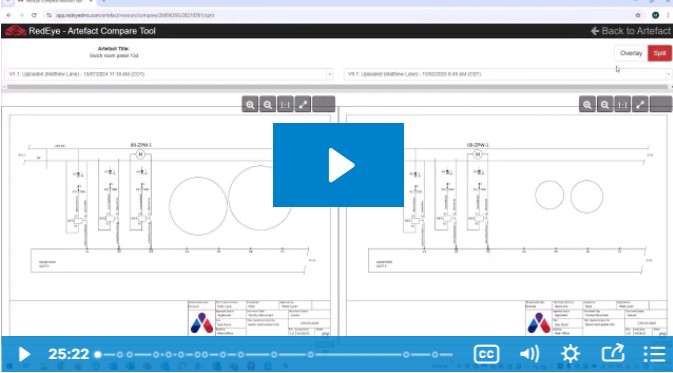
See every demo in action, from Bluebeam batch processing to the 1917 railroad deed, in the full webcast recording. Then talk with a Hagerman advisor about which OCR approach makes sense for your drawings and documents.
Watch the recording:

Comments