




With the release of Autodesk® 2027 products, Revit® users have picked up new Forma® entitlements—some free, some worth a second look if you already have access and aren't using them. We covered the details in a recent Hagerman webcast, and this recap pulls out the parts most teams will actually act on: what's now bundled with standalone Revit, what the AEC Collection adds on top, and two tools (Model Analytics and integrated Issues) that are easy to miss but genuinely change day-to-day model management.
The Big Picture: What Is Forma, Really?
Autodesk Forma® is the umbrella for Autodesk's industry cloud—a unified platform meant to carry project data from early conceptual design through construction and into operations. Autodesk Construction Cloud (ACC) has been folded into Forma, and Autodesk Docs is now called Forma Data Management. Same underlying capability, new name, and a tighter connection to the conceptual design tools.
Forma Data Management is the common data environment underneath all of it: cloud storage, file organization, markup, and collaboration in one place, accessible from a browser, desktop, or the mobile app—without eating space on a local machine or server.
What Changed for Standalone Revit Subscribers
This is the headline for most Revit-only shops: as of the 2027 release, standalone subscriptions of AutoCAD® , Revit, Civil 3D® , and the Product Design & Manufacturing Collection now include Forma Data Management Essentials—a scaled-down, entry-level version of Forma Data Management.
- Included: cloud file storage, document control, viewing, markup, and collaboration.
- Not included: the full feature set that ships with Forma Data Management proper (that's an AEC Collection or standalone Forma Data Management benefit).
- Not available on LT products—LT subscriptions don't qualify for Essentials.
- Not retroactive—this applies to Revit 2027 subscriptions, not older versions.
Practically, Essentials is what unlocks a Forma cloud project and gives standalone Revit users a path into Forma Site Design, Forma Building Design, and Forma Board—tools that used to require a separate cloud connection to access.
Standalone Revit vs. AEC Collection—the real difference
Both give you access to the Forma ecosystem. The gap is depth: AEC Collection includes the full version of Forma Data Management, plus integrated access to Forma Site Design, Forma Building Design, and Forma Board.
If you need Revit worksharing in the cloud, you still need Design Collaboration—that's a separate add-on regardless of which license you start from.
Conceptual Design Tools: Forma Site Design & Forma Building Design
If you used the standalone product formerly called just "Forma," you already know these tools—they've simply been renamed and split apart.
Forma Site Design
Focused on context-driven site analysis: terrain, roads, buildings, trees, satellite imagery, and property boundaries load in seconds, giving teams a real site context to sketch and mass conceptual layouts against before anything moves into Revit.
Forma Building Design
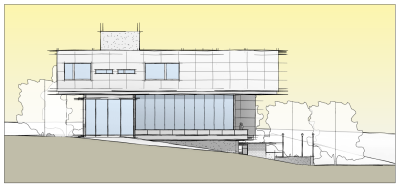
Takes the massing further into generative building studies—facades, floor plans, and units—with daylighting and carbon analysis built in as you design. When a design direction is chosen, it pushes into Revit as a geolocated, native model instead of forcing a rebuild.
Forma Board
A cloud-based, Miro-style whiteboard for design reviews: comparing iterations, leaving feedback, and organizing sheets and visuals into structured frames. As of this release, Forma Board connects directly to Forma Data Management and Essentials, and published sheets stay linked to the Revit cloud model—so teams control exactly when updates push through instead of it happening automatically.
The Connected Client: Why 2027 Feels Different
The real shift in Revit 2027 isn't a new tool—it's that Revit is now the first Forma-connected client. Site Design and Building Design can plug directly into a Forma project rather than living behind a separate web link. That means conceptual files sit alongside every other project file in one place, and a design can move into Revit without a manual export step. On earlier Revit versions, the same data can move back and forth, but through a web link and plug-ins rather than a direct, automatic connection.
Two Tools Worth a Second Look
Model Analytics
Not new this year, but easy to overlook: a Revit extension that runs automatically on every save, feeding data into the Insight tab in Forma Data Management. It tracks sync times, file size, and errors at the hub, project, and model level—and flags individual users whose sync times run well above average, often an early sign something in the model needs attention before it becomes a bottleneck. Project admins see everything; individual users see their own data.
Issues, Now Built Into Revit
Through Revit 2026, the Issues add-in was an optional extension. In Revit 2027, it's integrated directly—issues can be created and viewed in both 2D and 3D views, tracked and prioritized without leaving Revit, and linked to supporting models and references. Markups now attach directly to an issue's thumbnail, so there's no need to manage a markup and an issue as two separate items. The catch: the model has to be hosted in Forma Data Management for the integrated Issues tool to activate.
Questions From the Webcast
- Can I put job site photos and PDFs on Forma? Photos are limited to the Build entitlement, not Data Management—PDFs need confirming case by case.
- Does this require Revit 2027 specifically? Yes—the direct, integrated connection is tied to the 2027 release.
- Does Forma Building Design update when the Revit model changes? Yes, on a schedule the team controls.
- Does Revit LT get Forma Data Management Essentials? No—LT can still connect to Forma, but it requires a separate Forma Data Management license and only supports a non-worked-shared cloud model.
- Will detailed MEP and construction documentation move into Forma Building Design? Unlikely in the near term—Site Design and Building Design are built for conceptual work, not final detailing.
Not sure which Forma entitlement you already have?
Licensing here isn't one-size-fits-all—what you need depends on whether worksharing, Plant 3D connections, or a full AEC Collection are already part of your workflow.
That's exactly the kind of question worth a quick conversation with your account rep before assuming you're missing something (or paying for something you already have).
Talk to Hagerman
Forma's licensing structure has a lot of moving parts, and getting it right matters more once worksharing, Plant 3D, or multi-discipline coordination are in the mix. If you want a straight answer on what your current subscription includes—or what it would take to unlock Site Design, Building Design, or Model Analytics for your team—reach out to your Hagerman account rep. We'll walk through your specific setup and map out the right path forward.
Watch the Full Webcast
This post only scratches the surface—watch the full recording below for live demos of Forma Site Design, Building Design, and Model Analytics, plus the complete Q&A from attendees.


Comments