




If you've ever wished you could just tell Revit® what you want instead of hunting through ribbons and dialog boxes, Revit 2027 gets you much closer. The new Autodesk Assistant puts a natural language interface right inside the product — and for small teams juggling documentation, schedules, and views on tight deadlines, it's worth paying attention to.
What It Actually Does
Autodesk Assistant lives in its own panel (View → User Interface → Autodesk Assistant), and from there you type prompts instead of clicking through commands. Under the hood, it runs on Model Context Protocol (MCP) architecture, which lets it handle model queries, sheet management, room management, schedules, exports, and element manipulation — all from a single conversational interface. MCP servers activate automatically, so there's no setup required before you start using it.
Want to reuse a prompt you've written? The Prompt Library, tucked into a dropdown at the top of the Assistant panel, lets you save and recall your go-to requests. And when the Assistant surfaces something worth flagging, it shows up in a separate Insights tab with a yellow indicator.
Why this matters for small teams: Routine model interrogation and documentation work — the stuff that eats up hours without ever showing up as billable progress — moves into a conversational layer. Less command hunting, more production time, without giving up control of the model.
Real Tasks, Typed Out
This isn't a gimmick demo feature. In early testing, the Assistant handled things like:
- Counting items in a view
- Creating duplicate views with specific settings or view templates already applied
- Building schedules with particular fields, sorting, and grouping baked in from the start
Instead of a dozen picks and clicks, you type one sentence describing what you want. For a small team without a dedicated BIM manager cleaning up after everyone, that's a real time saver — not just a novelty.
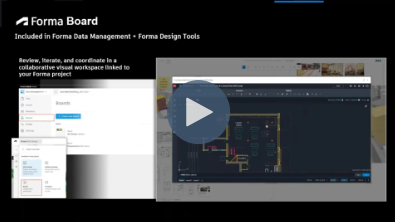
See it in action: watch how Autodesk Assistant turns a typed sentence into a finished schedule.
Our Take
This is early — Autodesk Assistant is a new feature, and like any first-generation AI tool inside your production software, it's worth testing on non-critical work before you lean on it for deadline-day deliverables. But the direction is right: less time spent translating your intent into the correct sequence of clicks, more time spent actually designing.
If your team is still finding its footing with the rest of the Revit 2027 release — Extended Properties, the .NET 10 migration, or Dynamo 4.0.2 — our Autodesk experts can walk through what's changed and what's worth prioritizing first.



Comments